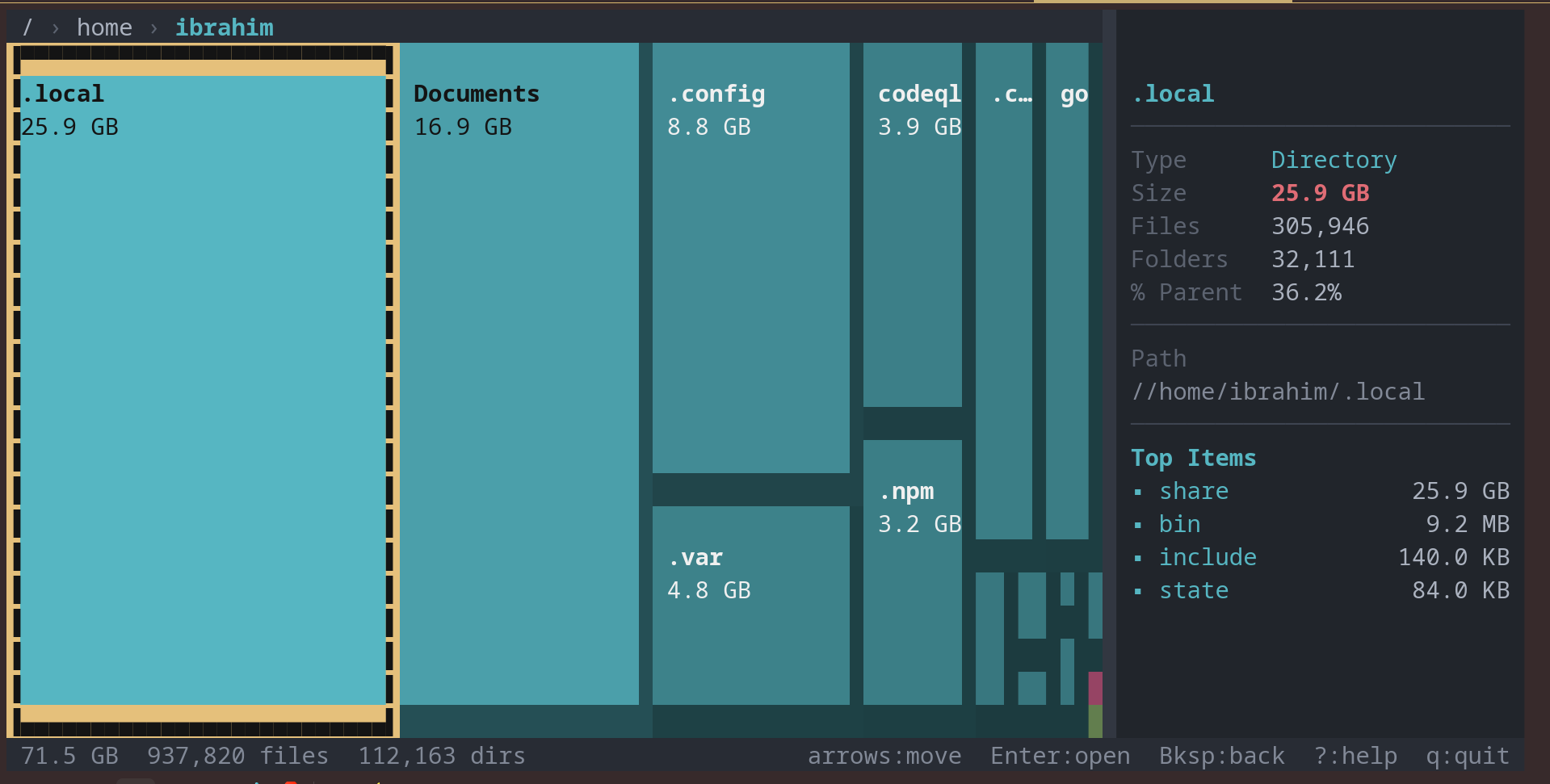
Free, open-source disk usage visualizer. Like WinDirStat, but for your terminal.
$ curl -fsSL https://get.lintree.sh | sh
Detects your OS and architecture automatically, downloads the latest release, and installs to /usr/local/bin.
Step 1: Download
PS> Invoke-WebRequest -Uri "https://github.com/PatchMon/lintree/releases/latest/download/lintree-windows-amd64.zip" -OutFile lintree.zip
Step 2: Extract
PS> Expand-Archive lintree.zip -DestinationPath .
Step 3: Run
PS> .\lintree-windows-amd64.exe C:\
Move the exe to a folder in your PATH to run from anywhere. For ARM devices, use lintree-windows-arm64.zip instead.
$ go install github.com/PatchMon/lintree@latest
$ git clone https://github.com/PatchMon/lintree.git
$ cd lintree
$ make build
Everything you need to understand your disk usage, without leaving the command line.
Proportional colored blocks show file sizes at a glance. Instantly see what is eating your disk space.
Instantly identify file types by color: code, video, images, archives, and more at a glance.
Drill into folders, go back, explore your entire disk. Full keyboard-driven navigation.
Concurrent filesystem walking that handles millions of files without breaking a sweat.
Works on Linux, macOS, and Windows. Same experience everywhere you need it.
Minimal CPU and memory footprint, even on large filesystems with millions of entries.
lintree stands on the shoulders of amazing open-source tools. Here's how they each approach disk usage differently.
| Tool | Language | Treemap | Interactive | Cross-Platform |
|---|---|---|---|---|
| lintree | Go | Yes | Yes | Linux, macOS, Windows |
| ncdu | Zig/C | No | Yes | Linux, macOS, Windows |
| gdu | Go | No | Yes | Linux, macOS, Windows |
| dust | Rust | No | No (static) | Linux, macOS, Windows |
| dua | Rust | No | Yes | Linux, macOS, Windows |
| WinDirStat | C++ | Yes | Yes | Windows only |
All of these are excellent tools. lintree's contribution is bringing treemap visualization to the terminal. Try them all and use what works best for you.
curl -fsSL https://get.lintree.sh | sh in your terminal. On Windows, download the zip from GitHub Releases and extract it. You can also install via go install github.com/PatchMon/lintree@latest if you have Go installed.